Updates
The new Host Honest: website, Hive and HoneyPanel
A new website, our own customer portal, modern game server management, payment by card or PayPal, forum, status page and knowledge base: everything new at Host Honest at a glance.
It has been a while since the last post here, and honestly: so much has happened in the meantime that a small update would no longer do it justice. Host Honest has been rebuilt from the ground up: a new website, our own customer portal, a modern game server management panel, payment by card or PayPal, a forum, a status page and a knowledge base. All in the same look, and all in German and English.
In this post we take you through all of it. You don't have to read everything: the headings help you jump straight to what interests you. And if you would rather click around yourself, you will find the links at the very bottom.
The images in this post show sample data and a test account, no real customer data.
At a glance
What's new
Six things you will find at Host Honest from now on.
New website
Faster, clearer and available in light or dark. In German and English, of course.
Hive, your customer portal
Subscriptions, invoices, tickets and account in one place, in the design of the website.
HoneyPanel
Manage your game servers: console, files, backups and more, right inside the website.
Payment
By credit card or PayPal, with automatic renewal if you like.
Locations
You choose where your server is located
Help and community
Knowledge base, support tickets, forum and a real-time status page.
The website
A new home for Host Honest
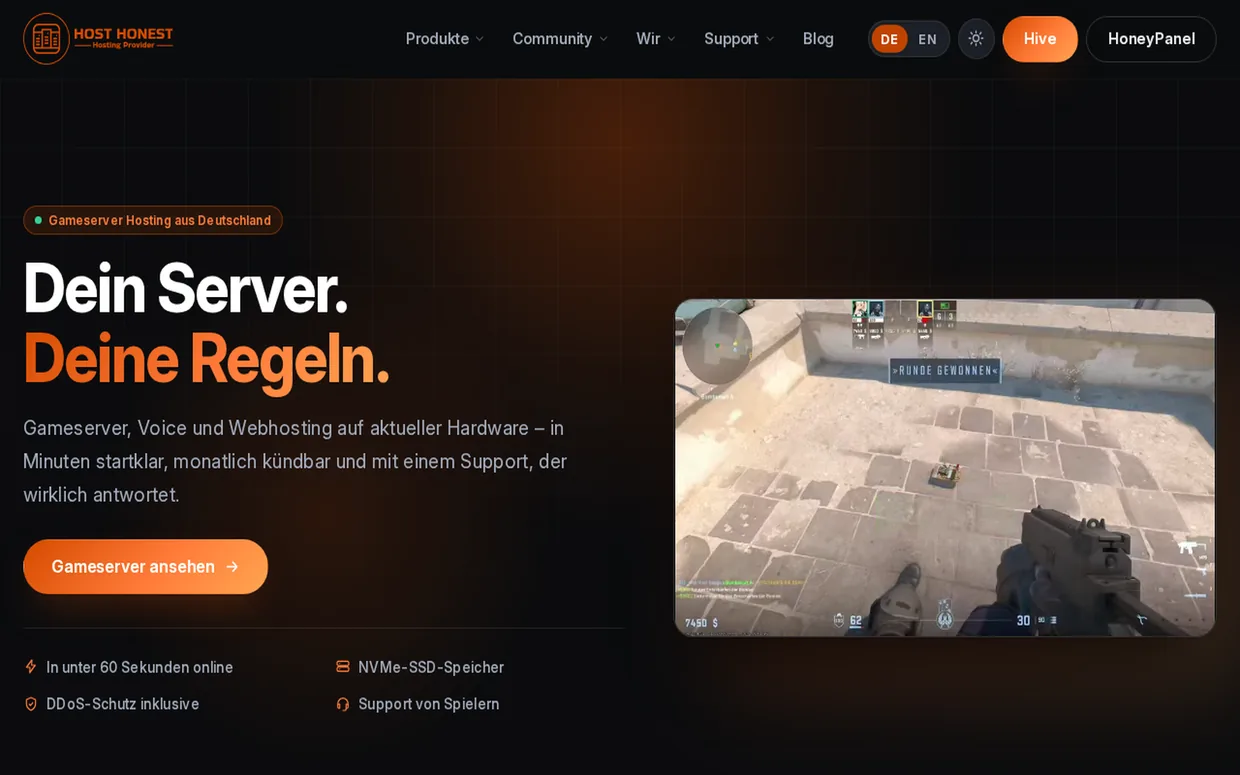
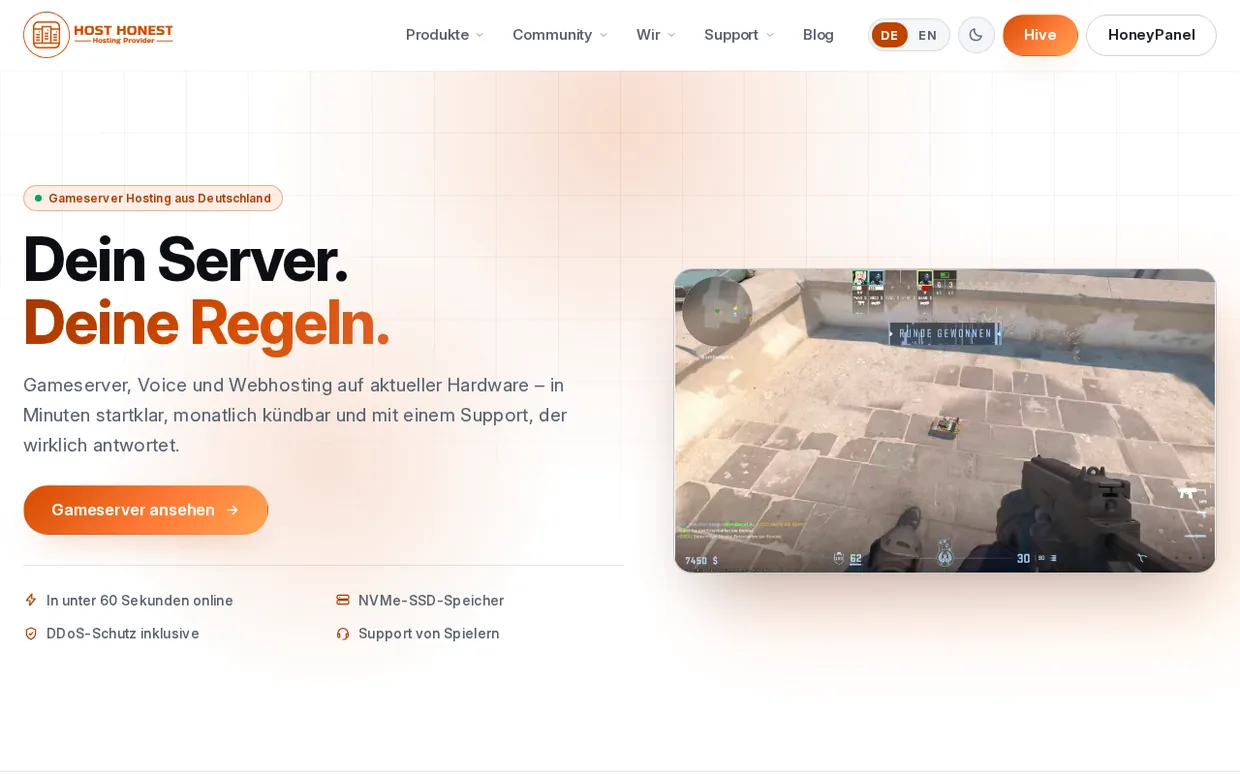
The home page says what it is about in four words: Your server. Your rules. Game servers, voice and web hosting on current hardware. Ready in minutes and cancellable monthly.
- Fast to load — The fonts are hosted by us, not by a third party, and videos only start once the page has loaded.
- Two languages — German and English. The language follows the address, not the browser. That way a shared link stays in the same language for everyone.
- Readable for everyone — We regularly check contrast and usability automatically for accessibility.
Appearance
Light or dark, as you like
Use the switch in the navigation to change between the light and the dark design. We remember your choice on your device. And because we did not want to stop at the website, the HoneyPanel follows along.
- No flash on load — The design you chose is set before the page is drawn for the first time.
- Panel and website in step — The website passes light or dark and the chosen language on to the HoneyPanel.
Occasions
Bummel joins the celebration
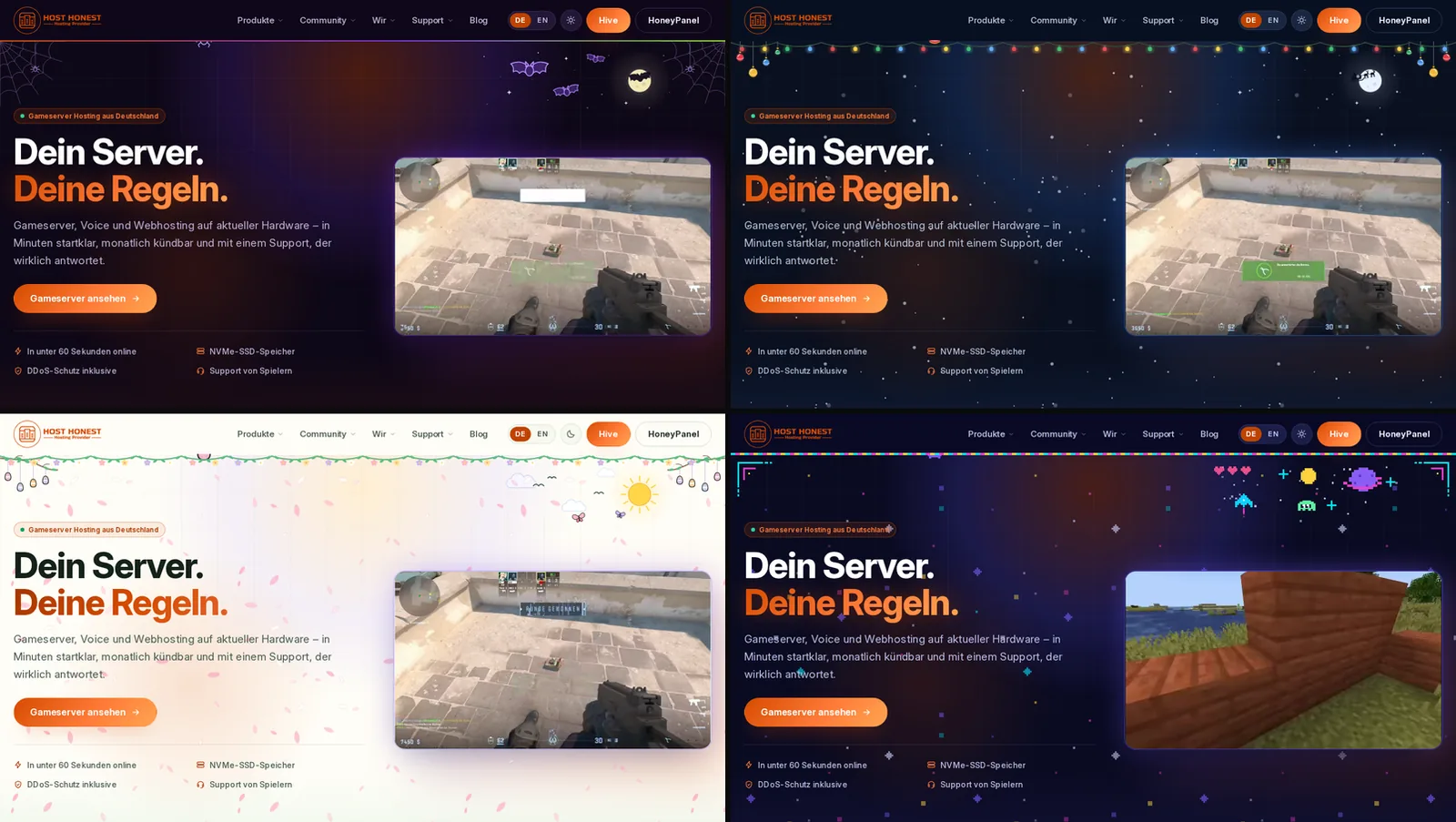
For Halloween, Christmas, Easter and Gamescom, the look of the whole website changes: colors, menu, decoration and our mascot Bummel. The team sets in advance when an occasion runs. Afterwards everything goes back to normal on its own.
- Halloween — Cobwebs, bats and a spider that lowers itself from the navigation.
- Christmas — Falling snow and a string of lights under the menu.
- Easter — A bright spring look with blossoms and a meadow.
- Gamescom — Pixel look in neon colors. The design you chose stays in place.
Hive: your customer portal
The customer portal is the heart of the relaunch. We rebuilt it to match the website, in a friendly, informal tone and so that you need only a few clicks for everything important.
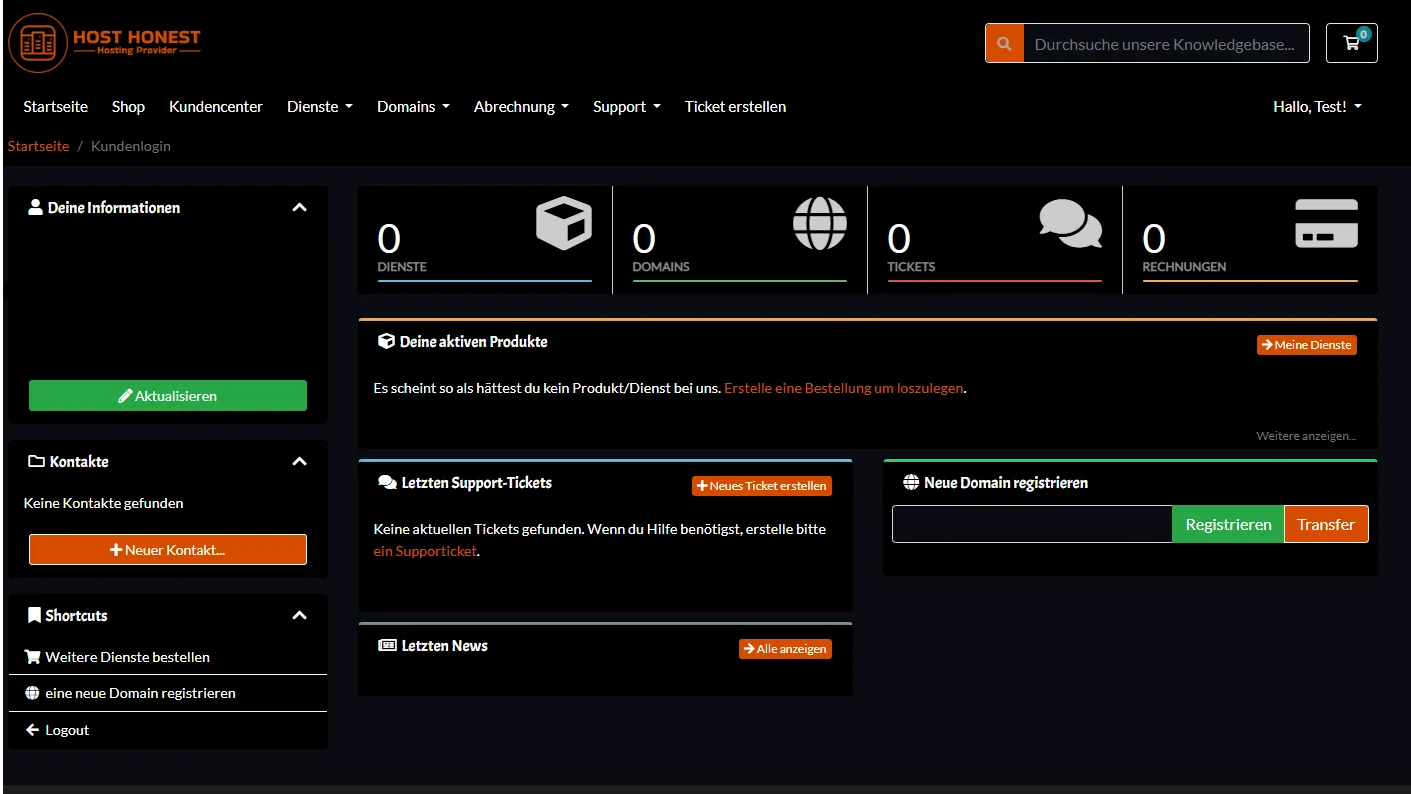
Before
The old customer center
This is what the customer center used to look like: a separate system in its own style that had little to do with the website. It served us well, but we wanted everything to feel like one piece.
Now
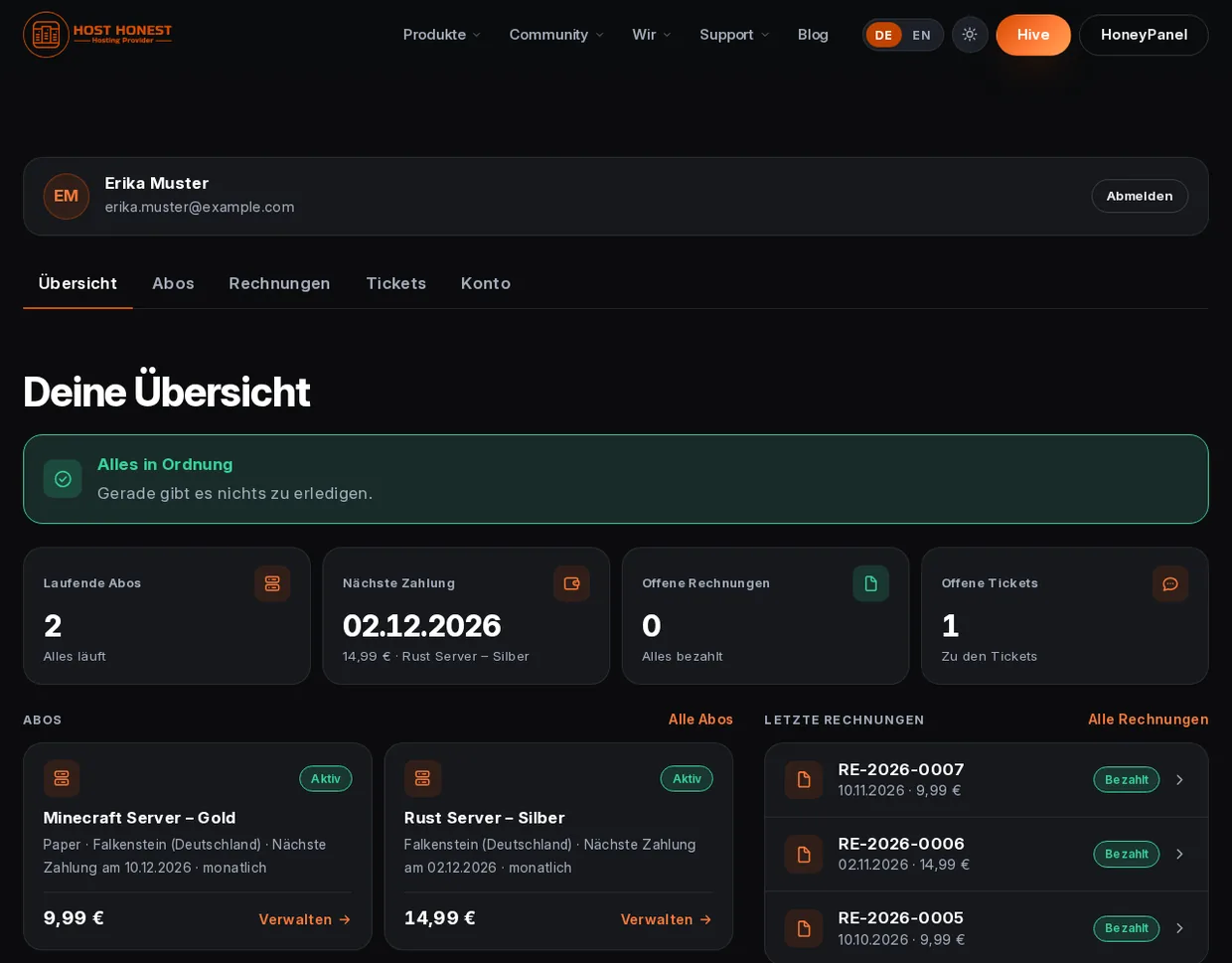
Hive: everything at a glance
After signing in you land on your overview: running subscriptions, next payment, open invoices and tickets. If there is nothing to do, a green “All good” lets you know.
- Overview — The most important numbers and notices right at a glance.
- Subscriptions — Your running and ended subscriptions, filterable and with all details.
- Invoices — Open ones first, invoices as PDF and “Pay now” right in the row.
- Tickets — Your requests to support with history and filter.
- Account — Details, address, language, security and data, neatly arranged in sections.
Subscriptions
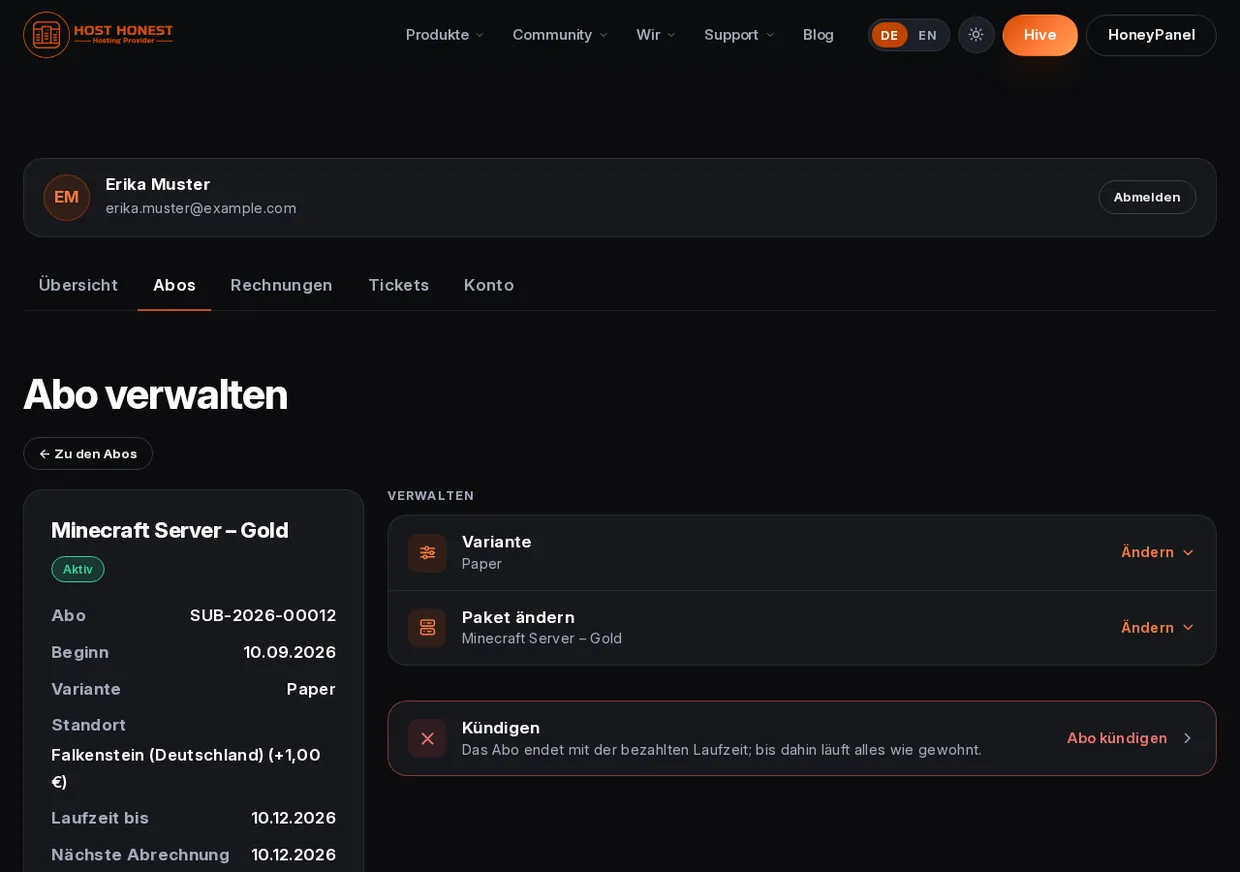
Your subscription, your decision
Under “Manage” you change your subscription yourself, without a ticket and without waiting. What will happen is shown openly beforehand; we do not hide surcharges and consequences in the fine print.
- Change plan — Immediately or at the end of the term. If a surcharge applies, you see it before you submit.
- Change variant — For Minecraft, for example, between Paper, Vanilla or Forge. We tell you clearly beforehand what happens to your server's files.
- Change location — Your server moves, and it happens right away, with no surcharge and no refund for the current term. The price of the new location applies from the next invoice.
- Cancel — Your subscription keeps running until the end of the paid term. If you change your mind, you can take the cancellation back.
Account
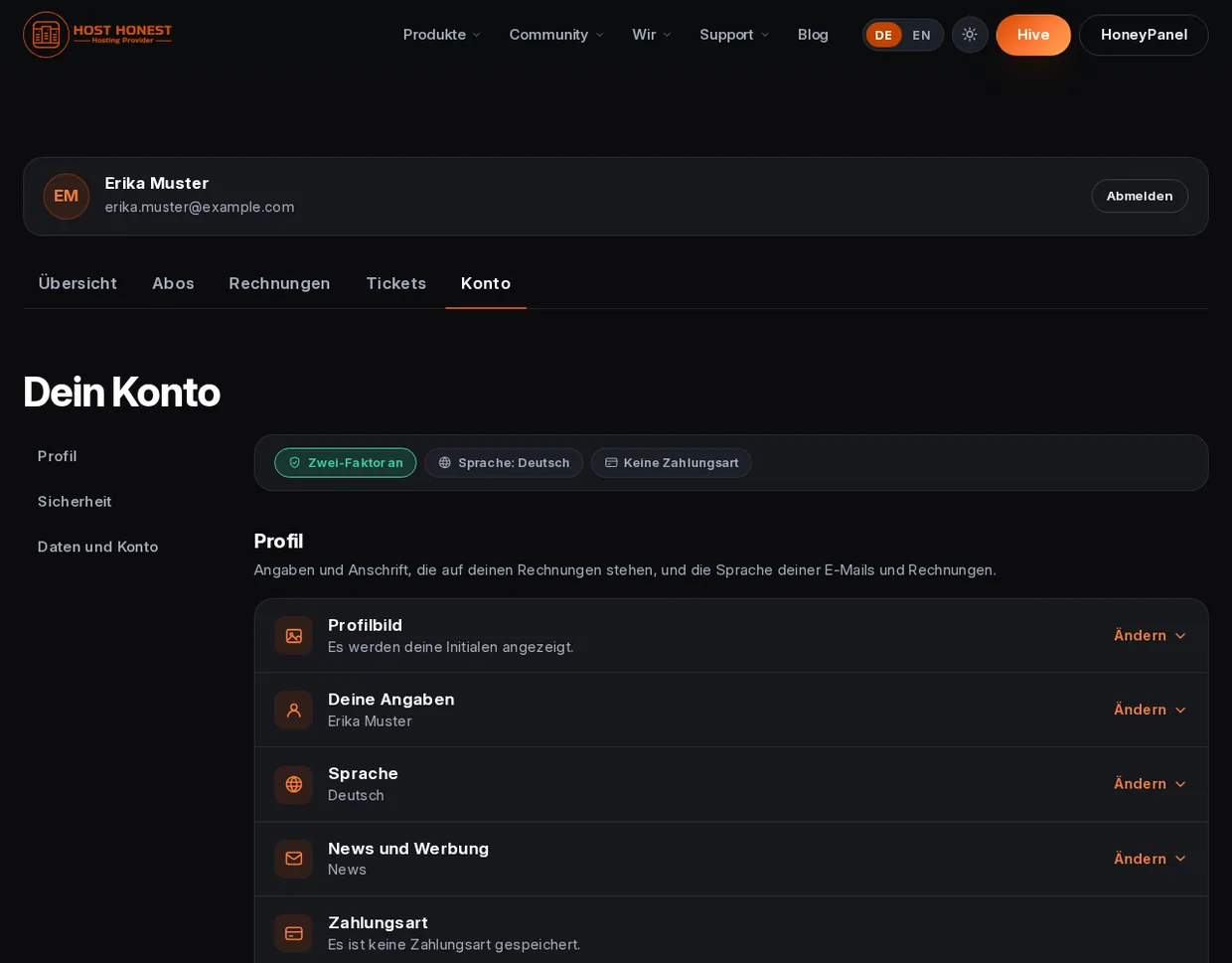
Your account, well protected
In the “Account” tab you manage your details, your billing address, the language for emails and invoices and your email notifications. Every change is built so that nobody else can simply make it for you.
- Two-factor authentication — With an authenticator app. For sensitive changes we also ask for a current code.
- Password for important changes — You confirm details, address, payment method and more with your password.
- Sign out everywhere — One click ends your sessions on all devices.
- Your data belongs to you — You can download a copy of your data and delete your account yourself.
Ordering and payment
Payment without surprises
From order to invoice: you can always see what something costs and what happens next.
Credit card or PayPal
The payment page belongs to the provider. We never see your card or account details.
Saved payment method
If you like, renewals and surcharges are charged automatically. We tell you openly before you pay; you can remove the payment method at any time in your account.
Voucher codes
Enter your code when ordering and see right away what the first invoice costs.
Invoices as PDF
You find all invoices in Hive. You can view, download and pay them.
Three clear checkboxes
You confirm the terms, the start of service and the privacy policy separately, in plain wording.
Price at a glance
Plan, location surcharge and voucher appear in a price bar before you submit.
Locations
Choose where your server is located
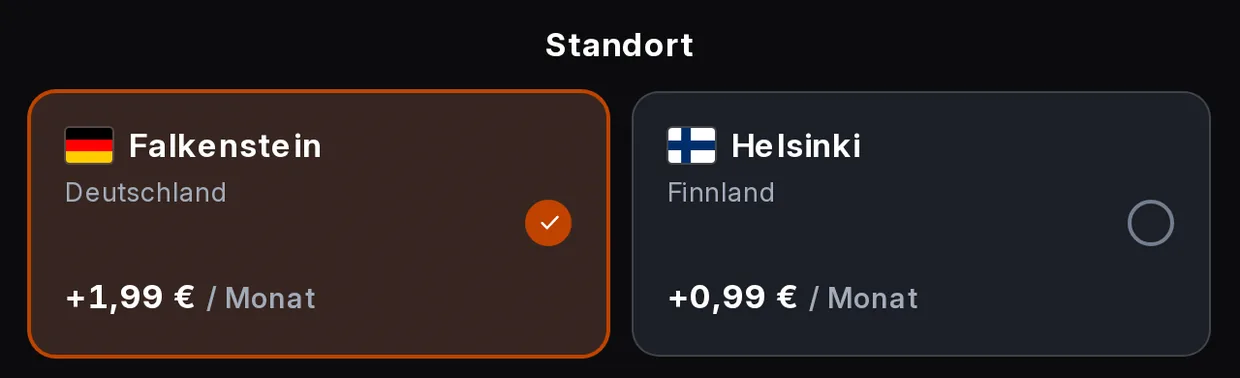
When you order, you pick the location, shown with its flag and surcharge. If you like, your browser measures the ping to the location. That way you see before you click what to expect.
- The price is clear immediately — The page adds the surcharge of a location straight into the price.
- Ping from your browser — It is only measured when you actually see the selection, and never in data saver mode.
HoneyPanel: your servers under control
The HoneyPanel is where you manage your game servers. It is based on the open source panel Pelican and has everything you need for day-to-day operation: console, files, databases, schedules, backups, network, startup parameters and settings. Your server is created automatically as soon as the first invoice has been paid.

For comparison
What management used to look like
That was the state at the beginning of 2025: rich in features, but with its own look and its own sign-in. Today the website, Hive and the panel speak the same design language.
Now
Server list, files, startup parameters and more
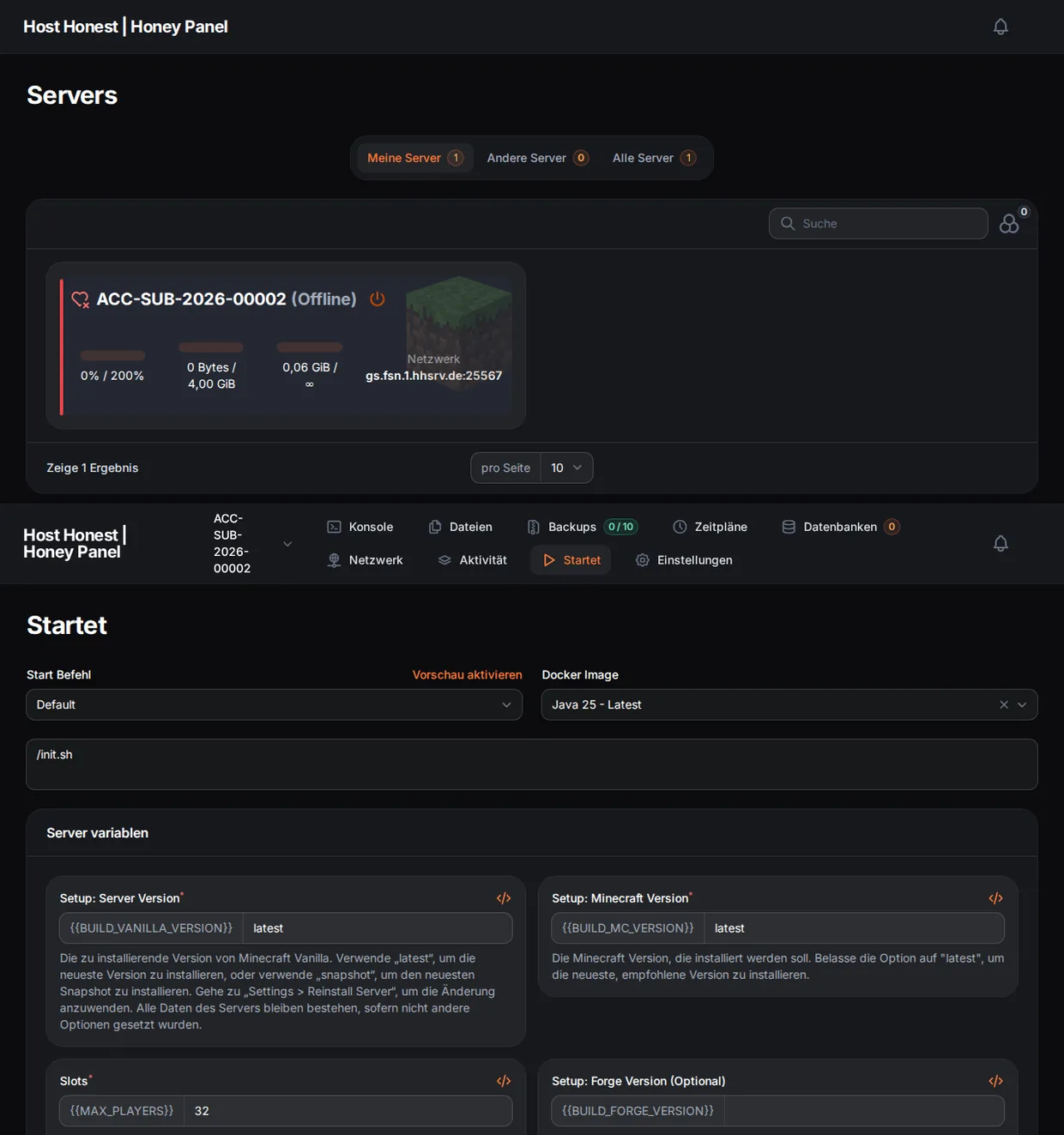
In the HoneyPanel you see all your servers at a glance. One click opens a server: there you start and stop it, manage files, backups, schedules and databases and set startup parameters and game variants.
- My servers — All servers of your account with status, load and address.
- Files — Create, upload and edit files, right in the browser.
- Startup parameters — You set the version, slots and other variables in one place, each with an explanation of what it does.
- Backups and schedules — Create backups and plan recurring tasks.
Seamless
In the look of the website and without a second sign-in
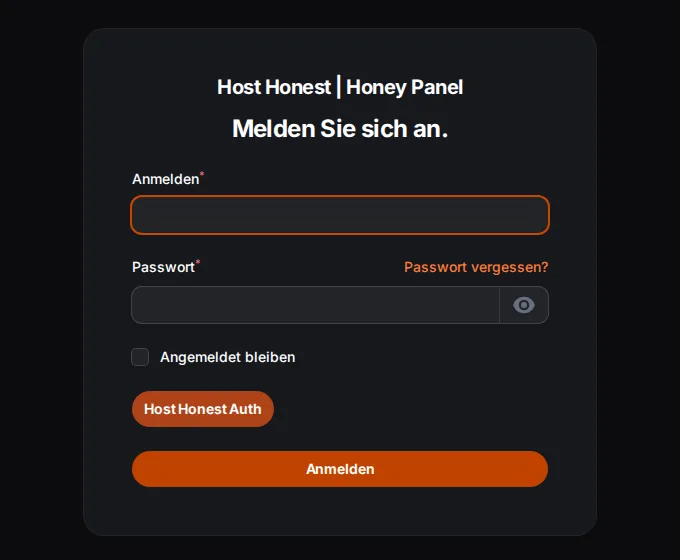
You find the HoneyPanel in the menu. It appears right inside the website, in the same colors, in light or dark and in the language you have just chosen. If you are signed in to Hive, you do not need to sign in again in the panel.
- One account for everything — Hive, HoneyPanel and the forum use the same sign-in, HoneyAuth.
- Two-factor only once — If you signed in with two-factor authentication, you do not have to enter the code again in the panel.
- Also in its own tab — Below the panel, a link opens the HoneyPanel in a new tab. There its own appearance applies again.
Community, status and help
A host is more than a server. That is why there are now places where you can find answers, talk to others and see whether everything is running.
The forum (HoneyCom) is open to everyone: you can read along without an account. To post, you sign in, also with your Host Honest account. Here too, light/dark and language follow the website.
Transparency
System status in real time
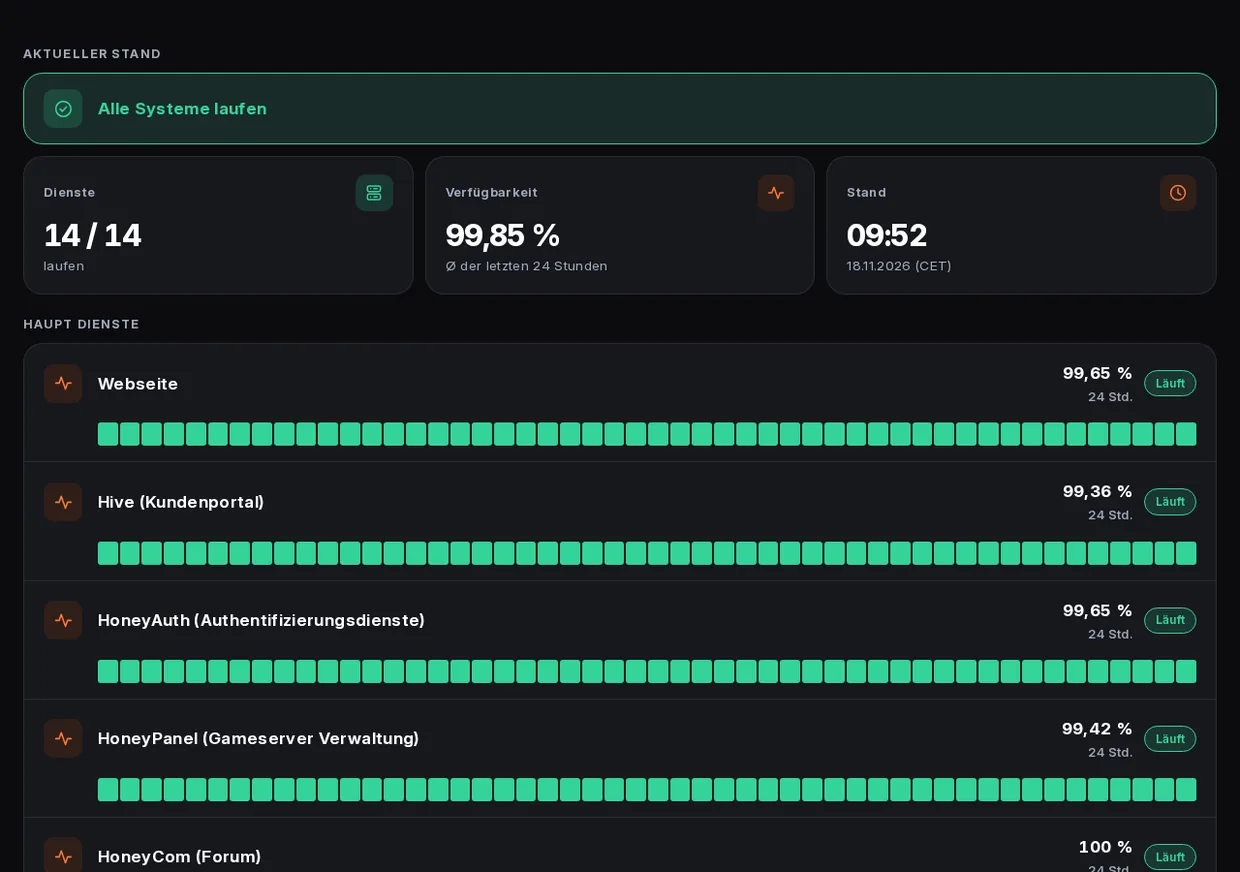
Under Support → Status you can see whether our services are running: current incidents, planned maintenance and availability over the last 24 hours. This applies to the website, Hive, HoneyPanel, the forum and every game server location.
- Everything at a glance — A notice sums up whether all systems are running or where something is stuck.
- Availability per service — A bar shows the latest checks of each service.
- Reachable during maintenance, too — If we lock the portal for maintenance, the status page stays open. Anyone who wants to know whether something is running should be able to see it.
Help
Answers before you have to ask
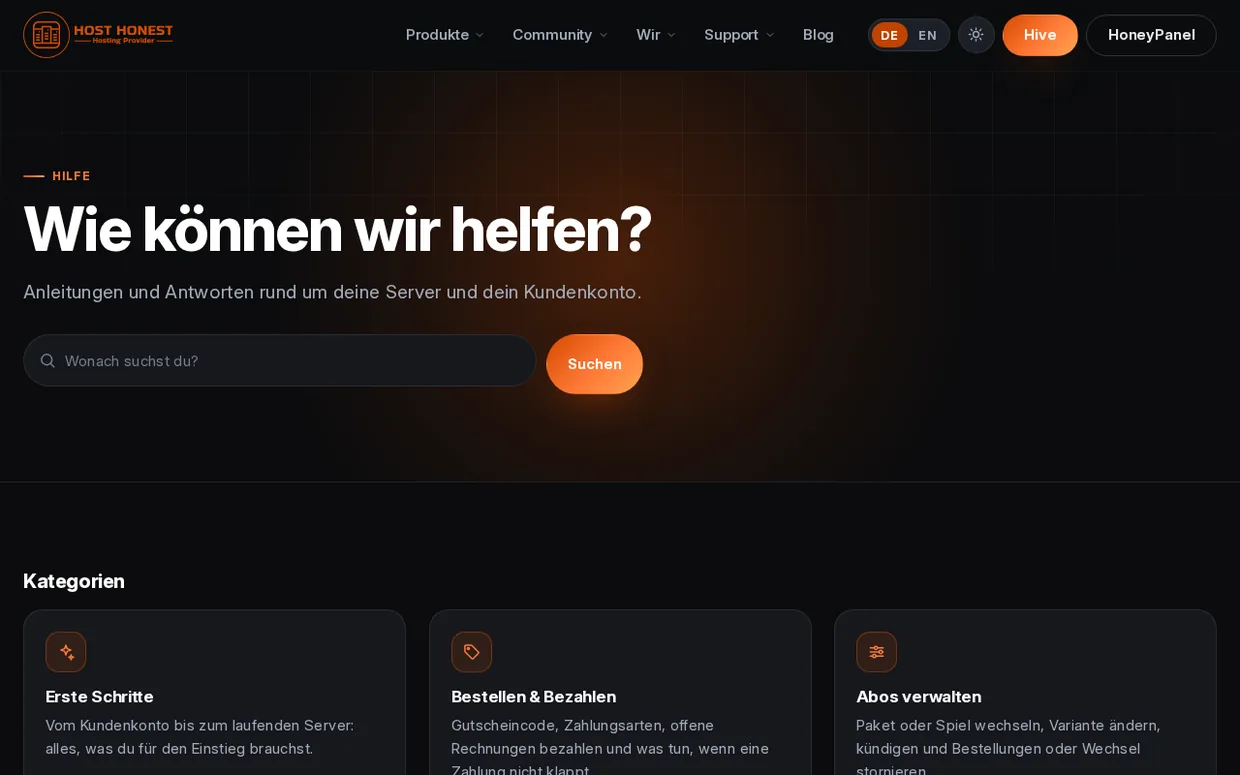
The knowledge base collects guides and answers about your servers and your customer account, sorted by topic, with search, in German and English.
- More than 50 articles — From your first server to changing locations.
- Understand errors — When something goes wrong, the article names the message, the cause and the solution.
- Was this article helpful? — With one click you tell us whether an article helped you.
Example
Summary first, details after
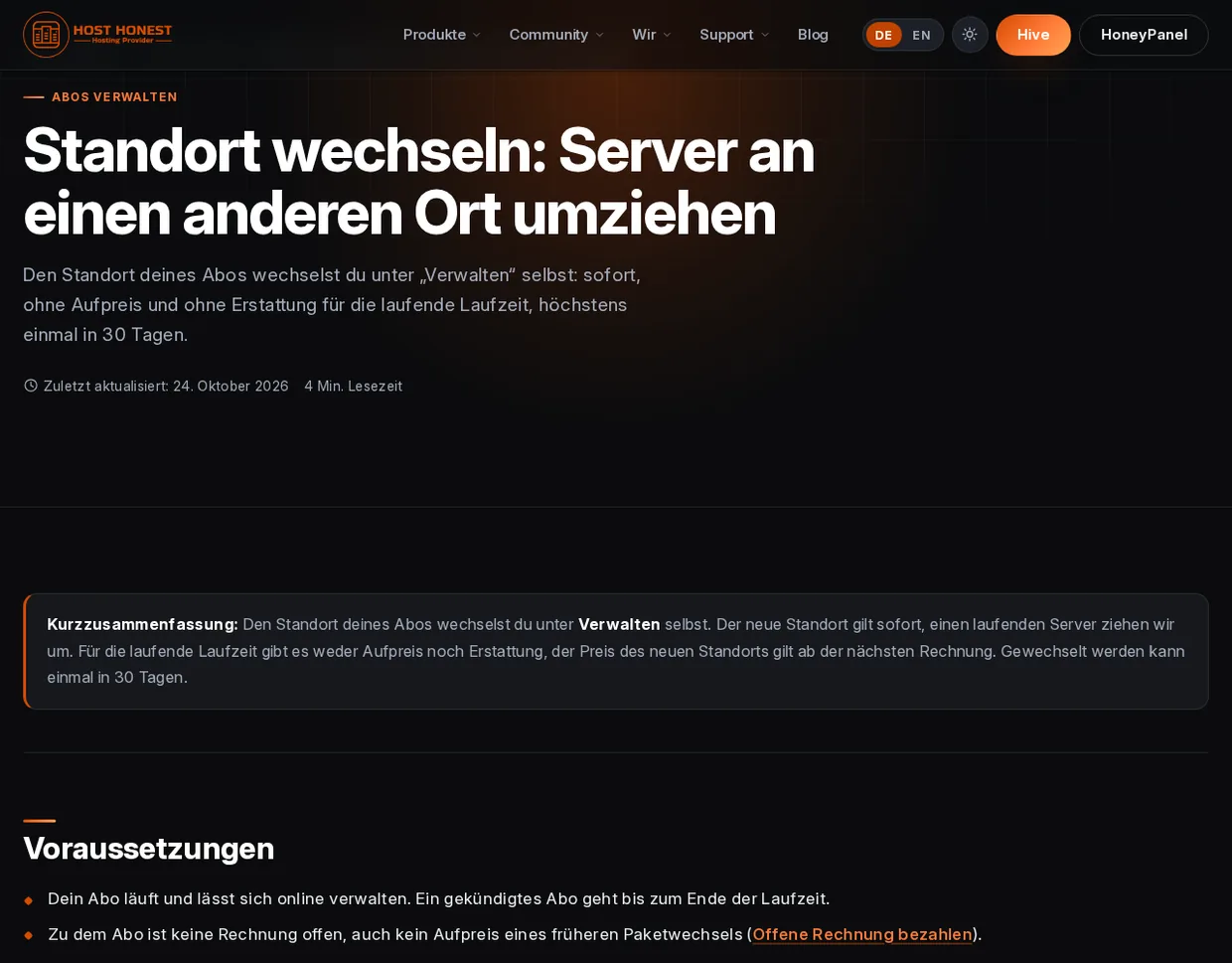
Every article starts with a summary so you know right away what it is about. Requirements, steps and possible stumbling blocks follow.
Support
A ticket, even without an account
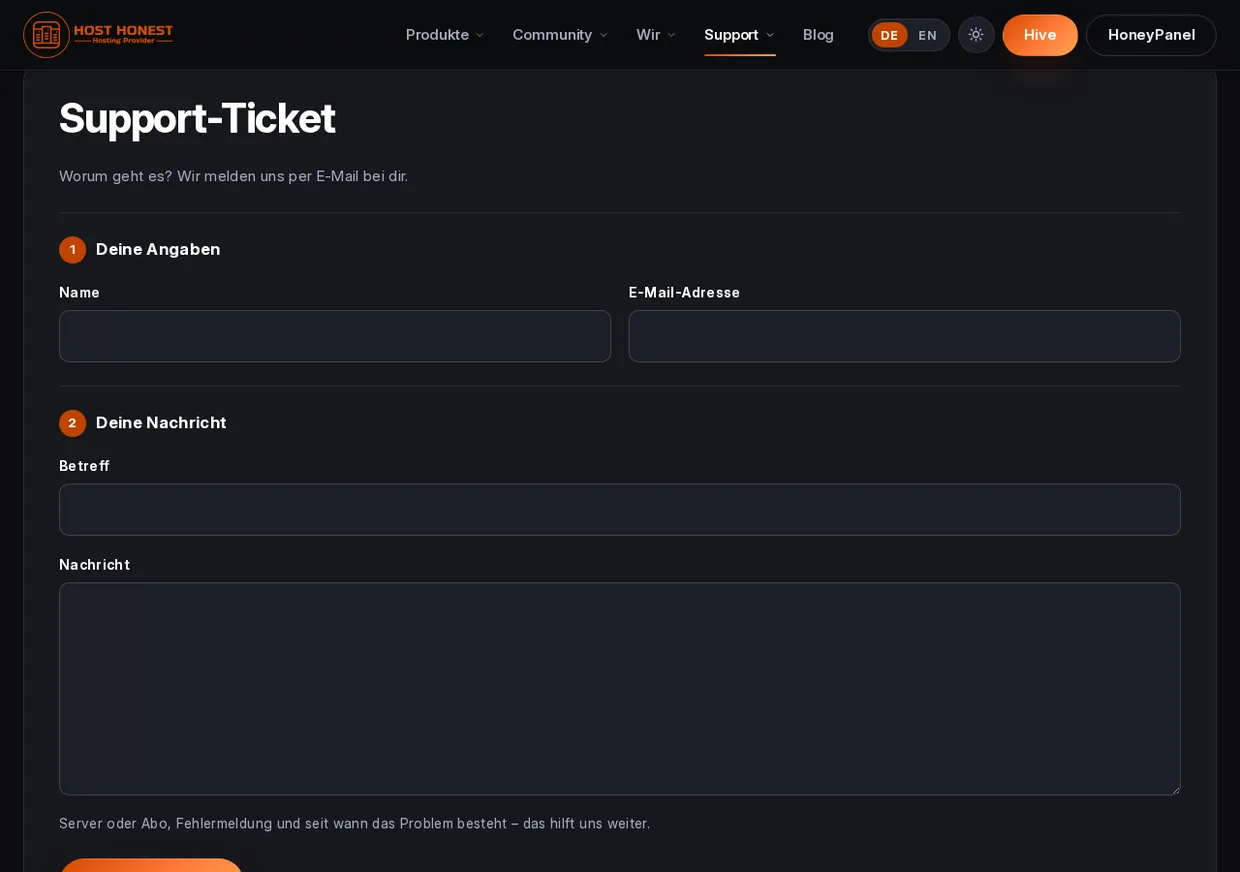
If the knowledge base does not help, you can reach us through the ticket form. As a customer you see the history in Hive, reply, close and rate your tickets. Guests receive our answer by email.
- Choose a topic — As a customer you assign your request to the right team.
- A history like a conversation — Your ticket reads like a conversation, with your messages on the right and ours on the left.
- Rate us — Once a ticket is closed, you can give us stars and a comment.
- Protection from bots — Forms for guests are protected by an unobtrusive bot protection from Cloudflare (Turnstile). There are no picture puzzles.

The little things
And more that you may not notice right away
Not everything catches the eye. A lot of it simply makes everyday life nicer.
Emails in the look of the website
Invoice, ticket and confirmation emails arrive in the language of your account and in a friendly tone.
Newsletter only with a checkbox
News and advertising are separate checkboxes. You decide, in your account or via the unsubscribe link.
Notice bars
Announcements and promotions appear above the navigation. You can dismiss them, and that is only remembered in your browser.
Maintenance with notice
If we work on the portal, a dedicated page tells you when it continues. The rest of the website stays available.
Cookies with consent
External content such as YouTube videos only loads once you have agreed.
For people and machines
Structured data, an llms.txt and every page also as Markdown: search engines and AI assistants find their way around easily.
2
Languages: German and English
5
Areas in Hive
4
Occasion looks per year
2
Ways to pay
Security: considered with every change
A portal with invoices and servers has to withstand more than an ordinary website. That is why every change to the code goes through automatic security checks before it goes live, among other things for known vulnerability patterns, accidentally committed credentials and missing escaping in templates. In addition:
- Two-factor authentication and a current code for sensitive changes
- Limits on sign-in, registration and password recovery, so that trying things out gets nobody anywhere
- a Content Security Policy that defines where a page may load from and send data to
- Cookies with the protective attributes
SecureandHttpOnlywhere possible - Checks of the running site from the outside before a release
Security is never finished. If you notice something, just send us a support ticket.
And if I am already a customer?
Then your data moves with you: customer account, subscriptions, invoices and tickets from the previous system will be waiting for you in Hive. For security reasons we deliberately do not carry over your password. On your first visit you set a new one via “Forgot password” and can switch on two-factor authentication right away.
For the curious: what is behind it?
The website is its own app built on Frappe. Subscriptions, invoices and payments run in ERPNext, the game servers in Pelican, the shared sign-in via authentik, the forum is Discourse and the status page comes from Uptime Kuma. We deliberately rely on open source and connect the building blocks so that you notice only one thing: it feels like a single product.
Our team maintains pages, posts and help articles in a page builder, with no programming at all. This post was created that way too.
Questions and answers
Explained briefly
What is Hive?
Hive is our customer portal. There you manage subscriptions, invoices, tickets and your account. You reach it with the “Hive” button in the navigation.
What is the HoneyPanel?
The HoneyPanel is where you manage your game servers: console, files, backups, schedules and much more. You find it in the menu, and it runs right inside the website.
Do I have to sign in separately everywhere?
No. Hive, HoneyPanel and the forum use the same sign-in (HoneyAuth). If you are signed in to Hive, you get into the HoneyPanel without a second sign-in.
Can I see whether something is currently down?
Yes, on the status page under Support → Status. It shows current incidents, maintenance and availability over the last 24 hours.
Where do I get help?
First in the knowledge base, then through a support ticket. You can ask the community in the forum.
Do you store my card details?
No. The payment page belongs to the provider (Stripe or PayPal). We never see card or account details.
Let's go
Take a look around
The new Host Honest is waiting for you: in Hive, in the HoneyPanel and on the website. We look forward to your feedback.